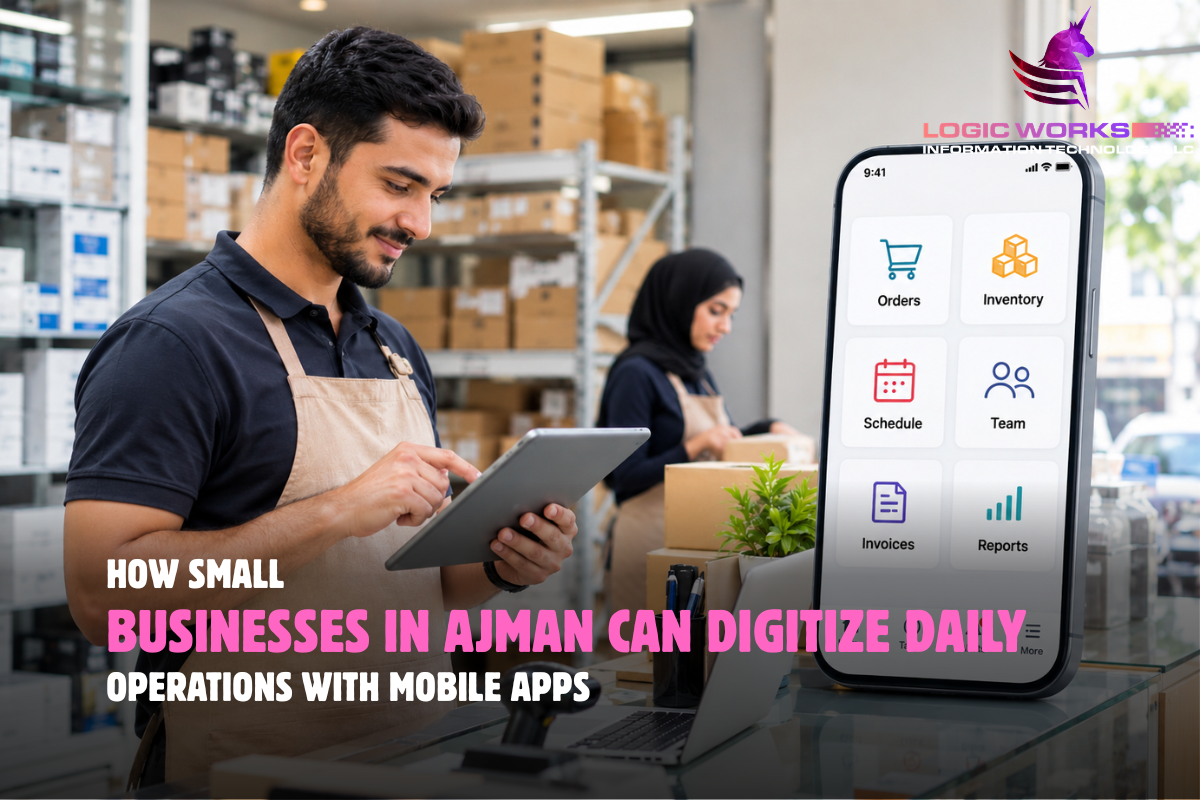
Running a small business involves more than serving customers. Owners must manage orders, track inventory, schedule employees, handle payments, and keep records organized. When these tasks depend on paperwork, spreadsheets, or scattered messages, everyday operations become hard to manage. Small businesses in Ajman can digitize daily operations with mobile apps that remove these manual steps, without paying for features they will never use.
Digital transformation does not mean replacing every existing process overnight. For small businesses in Ajman, it can begin with something as simple as managing appointments digitally or allowing employees to update inventory from their phones.
The key is identifying where manual work creates delays and finding a more efficient way to handle it. An experienced mobile app development company in Ajman can help you map those delays before any development begins.
What Does Digitizing Daily Business Operations Mean?
Digitizing business operations means replacing manual or disconnected processes with digital tools that help employees complete, record, and monitor everyday tasks.
A mobile application can connect activities such as order management, employee scheduling, invoicing, and inventory tracking within a shared system.
For example, a small electronics retailer might currently record stock in a notebook while managing customer orders through WhatsApp. A mobile inventory application could help employees update stock quantities, check product availability, and monitor pending orders from one place.
The goal is not simply to use technology. It is to make business information more accurate, accessible, and useful.
1. Manage Inventory Without Relying on Manual Records
Inventory management is a common challenge for small retailers, grocery stores, and distributors.
When stock records are updated manually, employees may overlook sales, forget incoming deliveries, or discover shortages too late.
How Can Mobile Apps Improve Inventory Management?
Mobile inventory apps allow businesses to record stock movements, check product quantities, and receive low-stock alerts from connected devices. When employees update records consistently, owners can identify shortages earlier and make purchasing decisions using more accurate information.
For example, an Ajman grocery store could use a mobile app to monitor fast-selling products and prepare restocking lists.
Useful inventory features include:
- Real-time stock updates.
- Barcode scanning.
- Low-stock notifications.
- Supplier and purchase records.
- Product movement history.
These features can reduce repetitive paperwork while making inventory information easier to access.
2. Simplify Employee Scheduling and Attendance
Managing employee shifts through phone calls and messaging groups can become confusing as a business grows.
A mobile workforce management app can provide employees with a shared schedule, attendance records, and shift updates.
Consider a cleaning company serving customers across Ajman. Its manager may need to assign different teams to multiple locations every day.
A mobile scheduling system could show employees their assigned jobs, working hours, and customer locations.
Managers could also receive updates when employees complete their tasks.
However, businesses should introduce attendance tracking transparently and collect only the employee information they genuinely need.
3. Automate Customer Bookings and Service Requests
Appointment-based businesses often spend considerable time answering availability questions and confirming bookings.
Salons, repair workshops, maintenance providers, and fitness studios can simplify these interactions through mobile booking features.
What Are the Benefits of Mobile Booking Systems?
Mobile booking systems help customers select available appointment times, receive confirmations, and request changes without repeated phone calls. For businesses, a connected scheduling system can reduce administrative work and help prevent overlapping appointments.
For example, an Ajman car maintenance workshop could allow customers to request service appointments and receive updates when their vehicles are ready.
Automated reminders may also reduce missed appointments, although their effectiveness depends on how customers use the system. If you are planning a customer-facing service app, our guide to key mobile app features for service businesses covers booking, payments, and notifications in more depth.
4. Organize Invoices, Payments, and Expense Records
Small businesses often manage financial records using separate spreadsheets, paper receipts, and banking applications.
This makes it harder to understand which invoices remain unpaid or how much the business spends on routine operations.
A mobile invoicing system can help owners create invoices, record payments, and monitor outstanding balances.
For example, a small furniture supplier could generate invoices after deliveries and maintain a record of customer payments.
Which Financial Tasks Can Mobile Apps Simplify?
| Business Task | Mobile App Function | Practical Benefit |
| Invoice creation | Digital invoice generation | Less repetitive data entry |
| Payment tracking | Paid and unpaid invoice status | Clearer payment records |
| Expense management | Expense entry and categorization | Easier cost monitoring |
| Sales reporting | Daily and monthly summaries | Better visibility into revenue |
| Customer records | Purchase and payment history | Faster account inquiries |
Check how any invoicing tool will work with the UAE’s new electronic invoicing system. Under the Ministry of Finance’s phased rollout, businesses with annual revenue below AED 50 million must appoint an Accredited Service Provider by 31 March 2027 and start using the system from 1 July 2027.
A mobile app can improve record organization, but it does not replace professional accounting software, an accredited e-invoicing provider, or advice from your accountant.
5. Improve Communication Between Teams
Important business updates can easily get lost when employees rely on multiple messaging groups.
A mobile operations app can organize tasks, responsibilities, and progress updates in one place.
For example, a small maintenance company could allow office staff to assign jobs to technicians, attach customer instructions, and receive completion reports.
Instead of calling each employee for an update, managers could check the status of assigned tasks.
Useful team coordination features include:
- Task assignments and deadlines.
- Job status updates.
- Shared documents and photographs.
- Internal notifications.
- Role-based access permissions.
Clear communication helps employees understand what needs to be done and who is responsible.
6. Track Deliveries and Field Service Activities
Businesses that operate outside a fixed location may struggle to monitor deliveries, customer visits, and completed jobs.
Mobile applications can help field employees record their activities while working.
For example, an Ajman-based distributor delivering products to nearby businesses could use a mobile app to organize delivery assignments, update order status, and record proof of delivery.
A repair service could allow technicians to upload photographs and record the parts used during a visit.
These records help office teams respond to customer inquiries without waiting for manual reports.
Location tracking should only be used where necessary, with clear notice to employees. Employee location is personal data, so check your obligations under the UAE’s Personal Data Protection Law before you switch it on.
7. Use Business Data to Make Better Decisions
Digital tools become more useful when they help owners understand what is happening across their operations.
A mobile dashboard can display important business information without requiring managers to review multiple spreadsheets.
What Should Small Businesses Track?
The most useful metrics depend on the business model. Retailers may monitor stock turnover and daily sales, while service providers may focus on completed jobs, appointment cancellations, and employee workload.
For example, a salon owner might discover that certain appointment times consistently remain unbooked.
A retailer might identify products that sell quickly but are frequently unavailable.
These insights can support better scheduling, purchasing, and staffing decisions.
However, dashboards are only as reliable as the information entered into them. Accurate records remain essential.
8. Start With a Simple Mobile Solution
Not every small business needs a custom application immediately.
Some businesses can improve their operations using existing inventory, accounting, booking, or workforce management software.
Others may need a tailored mobile solution because their workflows involve specialized approvals, multiple locations, or integrations with existing systems.
How Should a Small Business Choose Between Ready-Made and Custom Apps?
Ready-made applications are often suitable for common business tasks and can require less initial investment. Custom applications provide greater flexibility when a company has specific operational requirements that standard software cannot address.
Before choosing, businesses should compare functionality, setup costs, subscriptions, data ownership, integrations, and maintenance requirements. Our comparisons of white-label and custom apps and custom versus off-the-shelf software cover these trade-offs in more detail.
A practical solution should fit the business rather than force employees into unnecessarily complicated workflows.
How Can Ajman Businesses Begin Digital Transformation?
A successful transition begins with understanding existing operations.
Businesses can follow these steps:
- Review daily activities. Identify tasks that require repeated manual work.
- Find operational problems. Look for delayed updates, missing records, and unnecessary data entry.
- Prioritize one workflow. Start with inventory, scheduling, bookings, or another high-impact activity.
- Select suitable software. Compare ready-made applications with custom development requirements.
- Train employees. Explain how the new process works and why accurate updates matter.
- Measure improvements. Review time spent, error rates, and employee feedback before expanding.
For example, a retail business might digitize inventory first, then connect purchasing and sales records after the initial process works reliably.
At Logic Works Information Technology LLC, software development begins with understanding business processes and the people who use them. Mobile applications should simplify everyday responsibilities, support reliable information sharing, and remain manageable as a business grows. If you would like help deciding which workflow to digitize first, talk to our team about your current process.
Why Does Digital Transformation Matter for Ajman’s Small Businesses?
Digital tools can help smaller companies manage growing workloads without depending entirely on manual administration.
According to the UAE Ministry of Economy, Ajman’s Department of Economic Development supports the digital transformation of SMEs in the emirate. This includes e-commerce support for members of its Taziz and Reyada programs and for holders of e-commerce licenses.
This reflects the broader importance of helping local businesses adopt practical digital solutions.
For an individual business, however, success should be measured through operational improvements rather than the number of technologies introduced.
A simple app that saves employees time every day may deliver more practical value than an expensive system filled with unused features.
Frequently Asked Questions
How can mobile apps help small businesses in Ajman?
Mobile apps can help small businesses manage inventory, employee schedules, customer bookings, invoices, and daily tasks. They provide a convenient way to organize information and reduce repetitive administrative work.
What business operations can be automated with mobile applications?
Common opportunities include appointment reminders, stock alerts, task assignments, invoice generation, and order status notifications. The right automation depends on the business’s existing workflow and operational requirements.
Do small businesses need custom mobile apps?
Not necessarily. Ready-made applications may handle common tasks effectively. Custom development becomes more relevant when a business requires specialized workflows, unique integrations, or features unavailable in existing software.
Can mobile apps reduce operational costs?
Mobile apps may reduce administrative costs by limiting repetitive tasks, improving record accuracy, and reducing communication delays. Actual savings depend on implementation costs, employee adoption, and the processes being improved.
Which industries in Ajman can benefit from business automation apps?
Retail stores, restaurants, salons, repair workshops, distributors, cleaning companies, and professional service providers can benefit when mobile tools address recurring operational problems.
How much does it cost to digitize small business operations?
Costs depend on the number of users, required features, software integrations, and whether the business chooses subscription software or custom development. Businesses should also account for training, support, and ongoing maintenance.
How long does it take to implement a mobile business management system?
A ready-made solution may be introduced relatively quickly, while custom software can require several months depending on complexity. Data migration, employee training, and testing also affect implementation timelines.